WEBSITES, WITH WEBTUMMY
A no code website builder you can keep editing.
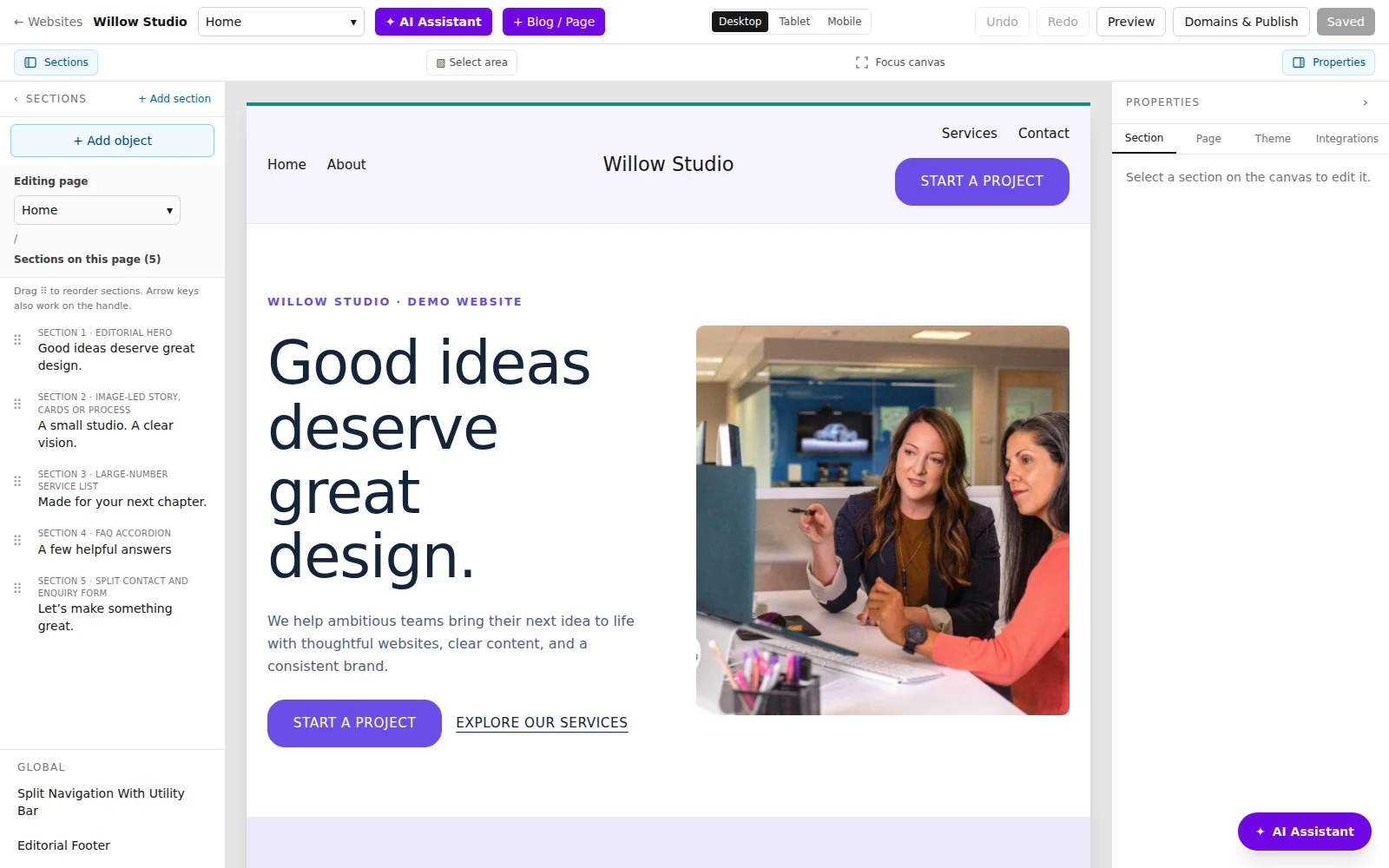
Change the website on the screen instead of starting with a code editor. Select text, images, buttons or sections, then use the controls that belong to that selection.
7 days free for eligible new customers, then US$29/month for one website. Card required. Cancel before your trial ends to avoid a charge.
THE RIGHT STARTING POINT
Make everyday updates yourself.
A website is rarely finished after the first launch. A service changes, a photo needs replacing or a button should lead somewhere new. Webtummy provides visual controls for those everyday edits, alongside an AI Assistant for describing a change in words. You still choose what to keep and what to publish.
Work on a specific object
Select an element on the canvas and use its properties to adjust content or appearance. Text editing, image replacement, button destinations and spacing each have dedicated controls. The available fields depend on the object you select.
Shape a complete page
Use the sections panel to move through the page, add supported sections and adjust layout. Theme controls let you work on shared colours and typography. Review shared changes because they may affect more than the current page.
Check before going live
Switch between desktop, tablet and mobile previews. Save your edits and use undo or redo when needed. Publishing is a separate step, which lets you inspect the saved draft before replacing the live version.
A CONCRETE STARTING BRIEF
A practical editing example
Illustrative example to adapt to your own business; this is not a customer case study.
On the current service page, change the main button to “Ask about availability”, link it to the contact page, replace the hero photo with my uploaded image and make the introduction shorter. Keep the service details unchanged.
Select
Choose the button or image on the canvas so the properties panel shows the correct element.
Edit
Set the button label and destination, select an uploaded image and review the revised introduction.
Preview
Check the image crop and button on mobile, follow the link and publish only after saving the final version.
FROM DRAFT TO PUBLISHED
Build it. Review it. Make it yours.
- Generate a starting website from your brief or open your existing Webtummy draft.
- Use visual controls or a focused AI request to change the relevant page element.
- Preview, save and publish; repeat whenever your content changes.
See the real product workflow
These illustrated guides show the editor controls used for this kind of website.
Questions about no-code website builder
Do I need HTML or CSS for ordinary edits?
No. The visual editor provides controls for supported text, images, layouts and styling. Advanced custom requirements depend on what the editor and supported integrations can do.
Can I undo a change?
The editor provides undo and redo. Save the version you want to keep, and check the preview before publishing.
Can I ask AI to edit only part of a page?
Yes. The AI Assistant can work on the current page or selected content. Give it a specific request and review the result, especially for shared sections such as headers.
Give your next chapter a website.
Build with AI, edit visually and publish with managed hosting.