WEBSITES, WITH WEBTUMMY
A website builder for entrepreneurs ready to launch.
Make your offer understandable before making your website bigger. Build a focused first version, explain what you are launching and give visitors a practical next step.
7 days free for eligible new customers, then US$29/month for one website. Card required. Cancel before your trial ends to avoid a charge.
THE RIGHT STARTING POINT
Give the first version one clear job.
An early business website can introduce an offer, answer the questions buyers ask and invite an enquiry. Webtummy helps you draft that starting point from a business brief. You can add pages later as you learn what people need to understand, without rebuilding your whole website around every new idea.
Turn an offer into a page
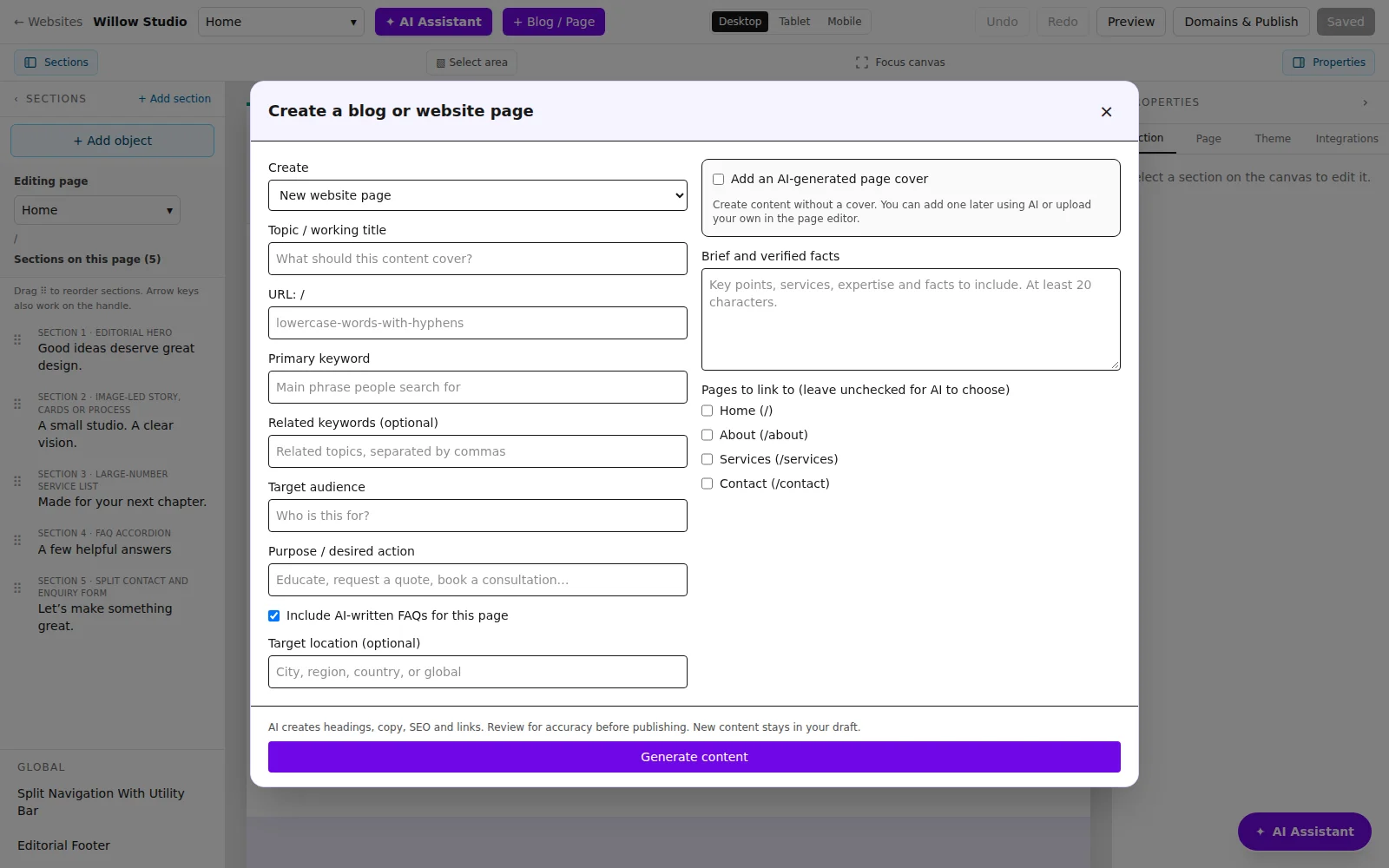
Define the audience, problem, service or product description and desired action. Use those details when creating a page with AI. Read the generated copy closely so your first visitors see an accurate offer rather than a list of unconfirmed promises.
Keep new content connected
Create another page or a blog post from the editor when you have something useful to explain. Give it a clear title and link it from relevant pages so visitors can follow the story from introduction to enquiry.
Learn from actual visits
After publishing, use the analytics view to inspect page visits and referrals. Treat traffic as information to review alongside customer conversations. Website analytics do not prove product-market fit or guarantee sales.
A CONCRETE STARTING BRIEF
A focused first-offer brief
Illustrative example to adapt to your own business; this is not a customer case study.
Build a website for an entrepreneur offering a live online workshop on organising a first business budget. Explain the workshop topics and who it is for. Include an enquiry form for future dates. Do not invent dates, attendee numbers or results.
Workshop overview
Describe the budget planning topics and the type of business owner who may find them useful.
About the organiser
Use the founder’s actual background, photo and reasons for creating the workshop.
Ask about a workshop
Collect an enquiry about availability. Add a link to an existing registration service if one is supplied.
FROM DRAFT TO PUBLISHED
Build it. Review it. Make it yours.
- Write down one audience, one offer and the action you want a visitor to take.
- Generate and edit the first pages, using only confirmed details and your own assets.
- Publish, review feedback and create additional pages when they answer a real visitor question.
See the real product workflow
These illustrated guides show the editor controls used for this kind of website.
Questions about for entrepreneurs
Can I add pages after my first launch?
Yes. The editor supports creating new pages and blog content. Review the draft, add the right navigation links and publish the saved update.
Can I connect an existing registration or payment link?
You can set a button’s destination to a supplied external URL. The linked service handles its own registration or payment process; check that destination before publishing.
Do I need finished branding to begin?
You can start with a business brief and refine colours, fonts, images and text in the editor. Use assets you have permission to publish and check that the final site accurately represents the business.
Give your next chapter a website.
Build with AI, edit visually and publish with managed hosting.